Sending Content
send_image
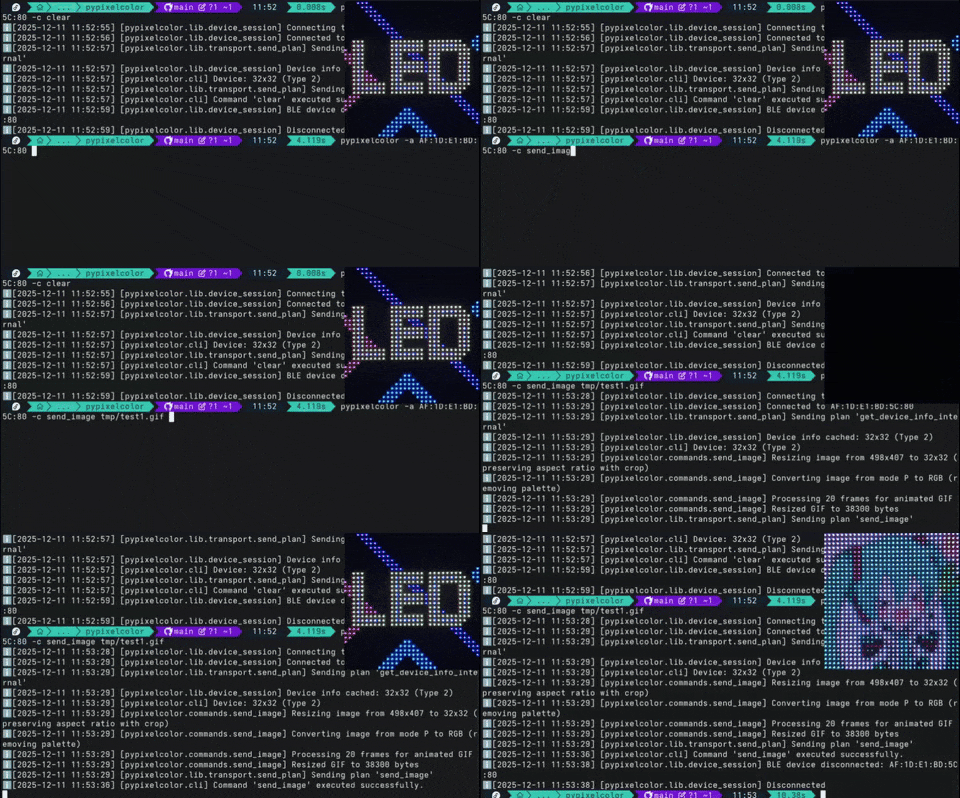
Send an image or animation.
Supports .png, .webp, .jpg, .jpeg, .bmp, .tiff, .gif and .heic, .heif if pillow-heif library is installed.
Parameters:
| Name | Type | Description | Default |
|---|---|---|---|
path
|
Union[str, Path]
|
File path. |
required |
device_info
|
Optional[DeviceInfo]
|
Device information (injected automatically by DeviceSession). |
None
|
resize_method
|
Union[str, ResizeMethod]
|
Resize method - 'crop' (default) or 'fit'. 'crop' will fill the entire target area and crop excess. 'fit' will fit the entire image with black padding. |
CROP
|
save_slot
|
int
|
If >= 1, will save to that slot. |
0
|
Note
If device_info is available, the image will be automatically resized to match the target device dimensions if necessary.
Source code in src/pypixelcolor/commands/send_image.py
339 340 341 342 343 344 345 346 347 348 349 350 351 352 353 354 355 356 357 358 359 360 361 362 363 364 365 366 367 368 369 370 371 372 373 374 375 376 377 378 | |
Examples:
from pypixelcolor import ResizeMethod

# Send a static image (PNG, JPG, BMP, etc.)
client.send_image("banner.png")

# Send an animated GIF with fit mode (preserves aspect ratio with black padding)
client.send_image("animation.gif", resize_method=ResizeMethod.FIT)

# Send an image and save it to slot 1
client.send_image("icon.png", save_slot=1)
# Send an image
pypixelcolor -a <MAC_ADDRESS> -c send_image banner.png

# Send an animated GIF with fit mode and save to slot 1
pypixelcolor -a <MAC_ADDRESS> -c send_image animation.gif resize_method=fit save_slot=1
send_image_hex
Send an image or animation from a hexadecimal string.
Parameters:
| Name | Type | Description | Default |
|---|---|---|---|
hex_string
|
Union[str, bytes]
|
Hexadecimal representation of image data. |
required |
file_extension
|
str
|
File extension to indicate image type (e.g. |
required |
device_info
|
Optional[DeviceInfo]
|
Device information (injected automatically by DeviceSession). |
None
|
resize_method
|
Union[str, ResizeMethod]
|
Resize method - 'crop' (default) or 'fit'. 'crop' will fill the entire target area and crop excess. 'fit' will fit the entire image with black padding. |
CROP
|
save_slot
|
int
|
If >= 1, will save to that slot. |
0
|
Source code in src/pypixelcolor/commands/send_image.py
381 382 383 384 385 386 387 388 389 390 391 392 393 394 395 396 397 398 399 400 401 402 403 404 405 406 407 | |
Examples:
from pypixelcolor import ResizeMethod

# Send an image from hex-encoded PNG data
hex_data = "89504e470d0a1a0a0000000d49484452..."
client.send_image_hex(hex_string=hex_data, file_extension=".png")

# Send animated GIF hex data with fit mode and save to slot 2
client.send_image_hex(
    hex_string="474946383961...",
    file_extension=".gif",
    resize_method=ResizeMethod.FIT,
    save_slot=2,
)
# Send image from hex data
pypixelcolor -a <MAC_ADDRESS> -c send_image_hex "<HEX_STRING>" .png
send_text
Send a text to the device with configurable parameters. If emojis are included in the text, they will be rendered using Twemoji.
Parameters:
| Name | Type | Description | Default |
|---|---|---|---|
text
|
str
|
The text to send. Supports inline color tags (e.g. '[#ff0000]Hello[/]'). |
required |
rainbow_mode
|
int
|
Rainbow mode (0-9). Defaults to 0. |
0
|
animation
|
TextAnimation | str | int
|
Animation type (e.g. TextAnimation.SCROLL_LEFT, 'scroll_left', 1). Defaults to TextAnimation.STATIC. |
STATIC
|
save_slot
|
int
|
Save slot (1-10). Defaults to 1. |
0
|
speed
|
int
|
Animation speed (0-100). Defaults to 80. |
80
|
color
|
str
|
Default text color in hex. Defaults to "ffffff". |
'ffffff'
|
bg_color
|
str
|
Background color in hex (e.g., "ff0000"). Defaults to None. |
None
|
font
|
str | FontConfig
|
Font name, file path, key-value string, or FontConfig. Defaults to "UNIFONT". |
'UNIFONT'
|
char_height
|
int
|
Character height. Auto-detected from device_info if not specified. |
None
|
device_info
|
DeviceInfo
|
Device information (injected automatically). |
None
|
Raises:
| Type | Description |
|---|---|
ValueError
|
If an invalid animation is selected or parameters are out of range. |
Source code in src/pypixelcolor/commands/send_text/__init__.py
77 78 79 80 81 82 83 84 85 86 87 88 89 90 91 92 93 94 95 96 97 98 99 100 101 102 103 104 105 106 107 108 109 110 111 112 113 114 115 116 117 118 119 120 121 122 123 124 125 126 127 128 129 130 131 132 133 134 135 136 137 138 139 140 141 142 143 144 145 146 147 148 149 150 151 152 153 154 155 156 157 158 159 160 161 162 163 164 165 166 167 168 169 170 171 172 173 174 175 176 177 178 179 180 181 182 | |
Examples:
from pypixelcolor import TextAnimation

# Simple static text
client.send_text("Hello World!")

# Scrolling text with custom color and animation speed
client.send_text(
    "Welcome to pypixelcolor!",
    animation=TextAnimation.SCROLL_LEFT,
    speed=90,
    color="00ff00",
)

# Text with background color, saved to slot 1
client.send_text("ALERT", color="ffffff", bg_color="ff0000", save_slot=1)
# Send static text
pypixelcolor -a <MAC_ADDRESS> -c send_text "Hello World!"

# Scrolling text with custom color and speed
pypixelcolor -a <MAC_ADDRESS> -c send_text "Welcome!" animation=scroll_left speed=90 color=00ff00
Inline Color Tags
send_text supports inline hex color tags to style individual words or characters:
- Opening tag:
[#RRGGBB]or[RRGGBB] - Closing tag:
[/],[/#], or[/color]
# Multi-colored text
client.send_text("[#ff0000]Red[/] [#00ff00]Green[/] [#0000ff]Blue[/]")

# Nested tags (closes back to the parent color)
client.send_text("[#ffaa00]Orange [#ffffff]White[/] Orange[/]")
pypixelcolor -a <MAC_ADDRESS> -c send_text "[#ff0000]Red[/] [#00ff00]Green[/] [#0000ff]Blue[/]"
Note
Inline color tags are supported with standard font rendering. When variable-width mode is enabled (var_width=True), color tags are ignored with a warning and the uniform color parameter is used instead.
Animation Types
The animation parameter accepts a TextAnimation enum, a string name, or an integer:
| Value | Name | String | Description |
|---|---|---|---|
0 |
TextAnimation.STATIC |
"static" |
Static text without animation (default) |
1 |
TextAnimation.SCROLL_LEFT |
"scroll_left" |
Scrolls from right to left |
2 |
TextAnimation.SCROLL_RIGHT |
"scroll_right" |
Scrolls from left to right |
3 |
TextAnimation.SCROLL_UP |
"scroll_up" |
Scrolls upwards (32x32 devices only) |
4 |
TextAnimation.SCROLL_DOWN |
"scroll_down" |
Scrolls downwards (32x32 devices only) |
5 |
TextAnimation.BLINK |
"blink" |
Fast blinking text effect |
6 |
TextAnimation.FADE |
"fade" |
Smooth blinking / breathing effect |
7 |
TextAnimation.SNOWFLAKE |
"snowflake" |
Falling snowflake effect |
from pypixelcolor import TextAnimation

# Using Enum
client.send_text("Hello", animation=TextAnimation.SCROLL_LEFT)

# Using string name
client.send_text("Alert!", animation="blink", speed=90)
Font Configuration (FontConfig)
The font argument controls typography. It accepts a FontConfig instance (Python) or a configuration string (Python & CLI):
| Parameter | Type | Default | Description |
|---|---|---|---|
path |
str |
Built-in UNIFONT | Path to a local .ttf or .otf file. |
font_size |
int |
char_height |
Font rendering size in pixels. |
offset |
tuple[int, int] |
(0, 0) |
Rendering offset (x, y). |
pixel_threshold |
int |
128 |
Binarization threshold (0-255). |
var_width |
bool |
False |
Enable variable-width rendering for proportional fonts. |
Usage Examples
from pypixelcolor import FontConfig

# 1. Default font with variable-width
client.send_text("Hello", font=FontConfig(var_width=True))

# 2. Custom font from file
font = FontConfig.from_file("./fonts/retro.ttf", font_size=16, var_width=True)
client.send_text("Hello", font=font)

# 3. Inline key-value string
client.send_text("Hello", font="path=./fonts/retro.ttf,font_size=16,var_width=true")
# Default font with variable-width
pypixelcolor -a <MAC_ADDRESS> -c send_text "Hello" font=var_width=true

# Custom font file
pypixelcolor -a <MAC_ADDRESS> -c send_text "Hello" font=./retro.ttf

# Custom font with options
pypixelcolor -a <MAC_ADDRESS> -c send_text "Hello" font="path=./retro.ttf,font_size=16,var_width=true"
Variable Width (var_width)
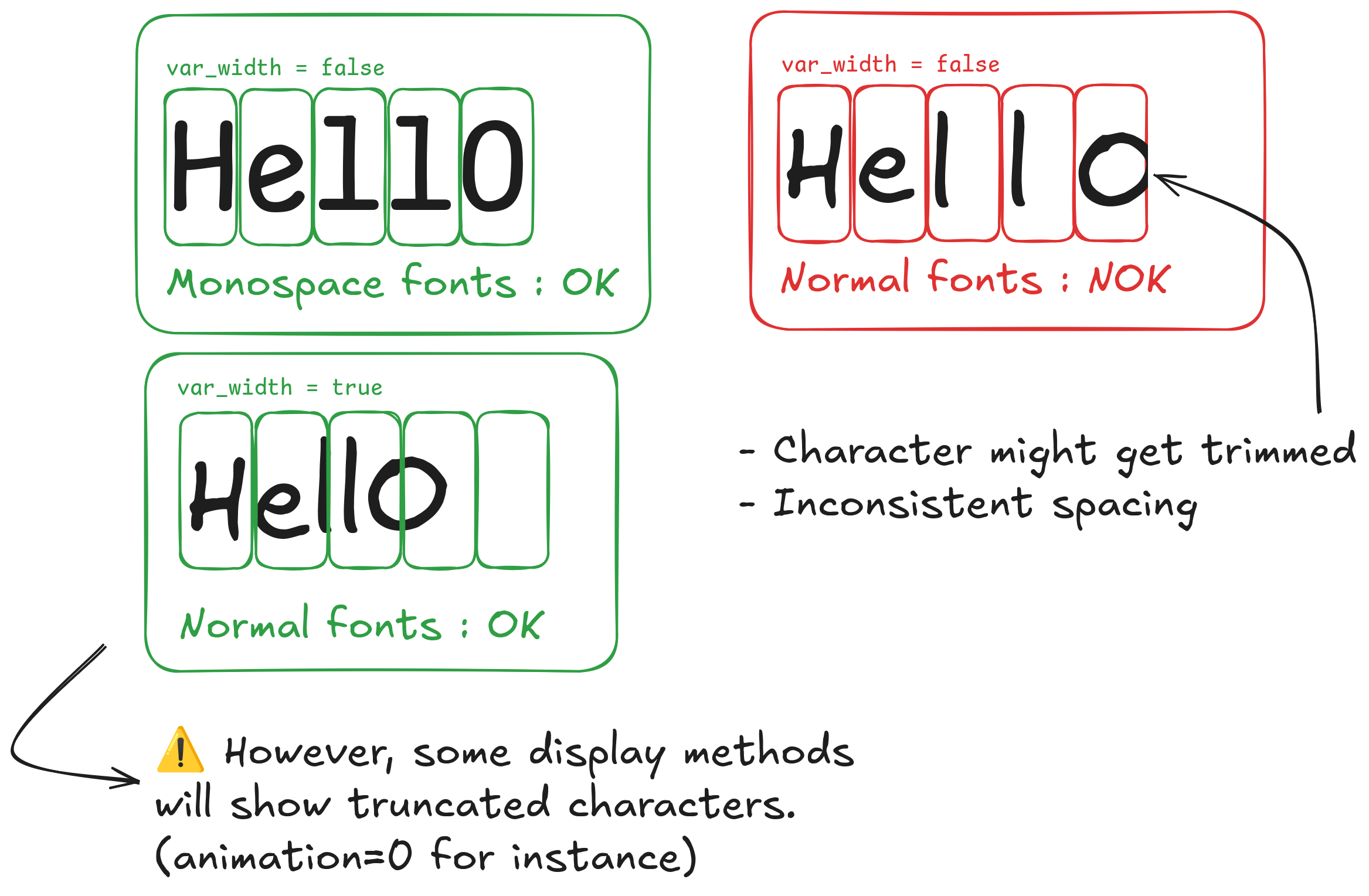
By default (var_width=False), each character is placed in a fixed-width slot (best for monospace fonts like UNIFONT). For proportional fonts, setting var_width=True renders text on a continuous canvas with natural kerning before slicing it into matrix chunks.
Limitations
- Static text truncation: With
animation=0(STATIC), non-scrolling text exceeding screen width will be cut off. Usescroll_leftfor long text. - Inline color tags: Color tags (
[#ff0000]...[/]) are not supported withvar_width=True(they will be stripped with a warning and the uniformcolorused).